

What File Type Should I Upload for Stickers?
What File Type Should I Upload for Stickers?
File type matters less than people think, but if you have a vector file, upload that, especially for logos, text, and clean line work. The Pretty Good Stickers editor currently accepts PNG, JPG, TIFF, AI, PDF and EPS. For anything drawn or painted, a high-resolution PNG at 300 dpi at the final print size does the job. The format rarely ruins a sticker. The resolution usually does.
That’s the short answer and the rest is more about the “why”, and how best to avoid some common errors and problems.
Which file, not which format
The more useful question is not which extension is best. It is which file is closest to your original artwork.
A vector exported straight from Illustrator beats a JPG of that same logo pulled off a website header, every time. A clean PNG from Procreate prints beautifully. A screenshot of either does not. Renaming a file changes nothing about what is inside it.
Find the sharpest, largest, most original version of your design first. Then match it to the right type below.
Vector, when the design has hard edges
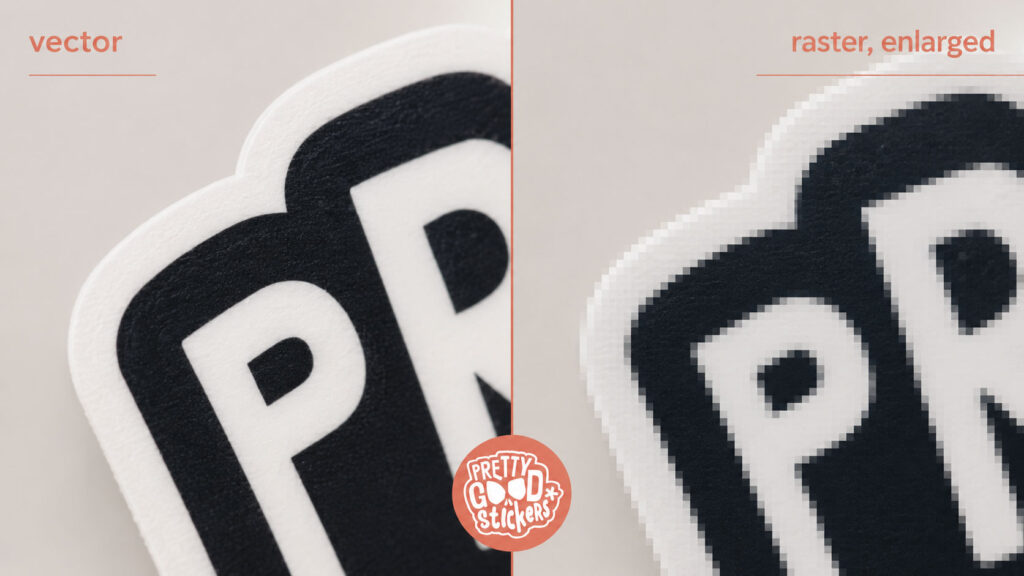
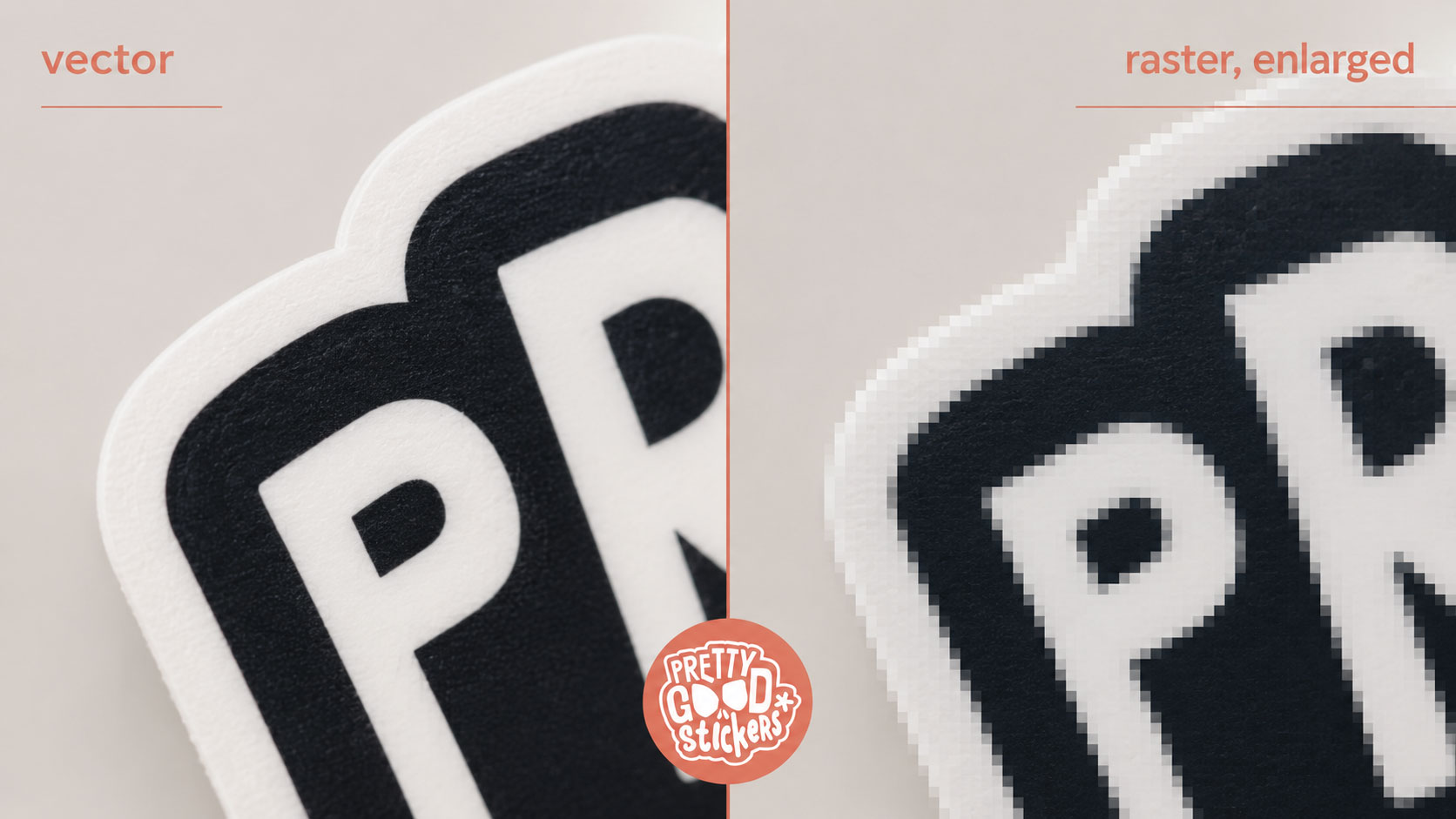
Vector files are built from paths, not pixels, so they scale without going soft. That makes them right for anything with a clean edge: logos, wordmarks, icons, typography, line art, badges.
AI and EPS files are usually vector. PDFs can be, but a PDF can also just be a low-resolution image in a nicer coat, so the extension tells you less than you would hope.
If your design started as a real vector file, upload that one. Not a small export of it.
PNG, JPG or TIFF, when the artwork is image-based
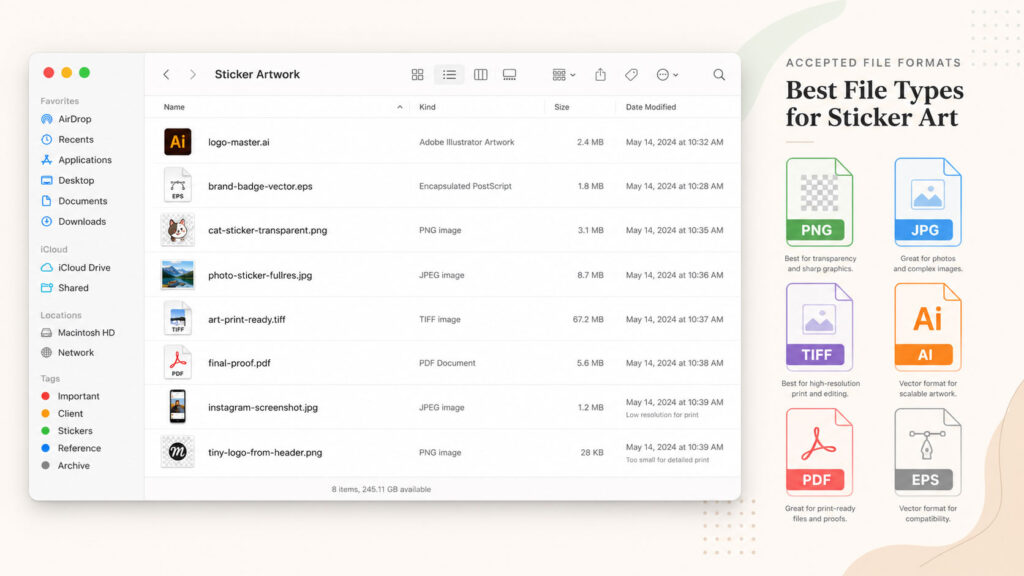
Raster files are made of pixels, and they are the right choice for anything painted, drawn, scanned, or textured: digital paintings, Procreate art, photos, anything with shading or grain.
PNG is the safer pick when you need a transparent background or crisp edges.
JPG handles photos and full-background art, but compression chews up detail, so it is a poor match for text or sharp outlines.
TIFF works well for high-quality image files prepared for print. It is not magic, though. A clean, correctly sized file beats a fancier extension.
The one thing that actually causes blurry stickers
A raster file needs to be 300 dpi at the size the sticker will print — not before you enlarge it, not as it looks on your screen. At the final size.
This is what trips people up. A file can look perfect on a phone and print fuzzy, because a screen is small and forgiving and a printer is neither. Bumping the DPI number up in a design app does not add detail that was never there; it just makes a bigger version of the same soft image.
A blurry file can look fine on your screen. Print is less forgiving. It has no chill, no sympathy, and no idea what you meant.
Start with the biggest clean original you have. If the only version is a screenshot or a social download, it is probably not the file for print.
Transparent backgrounds have to already be transparent
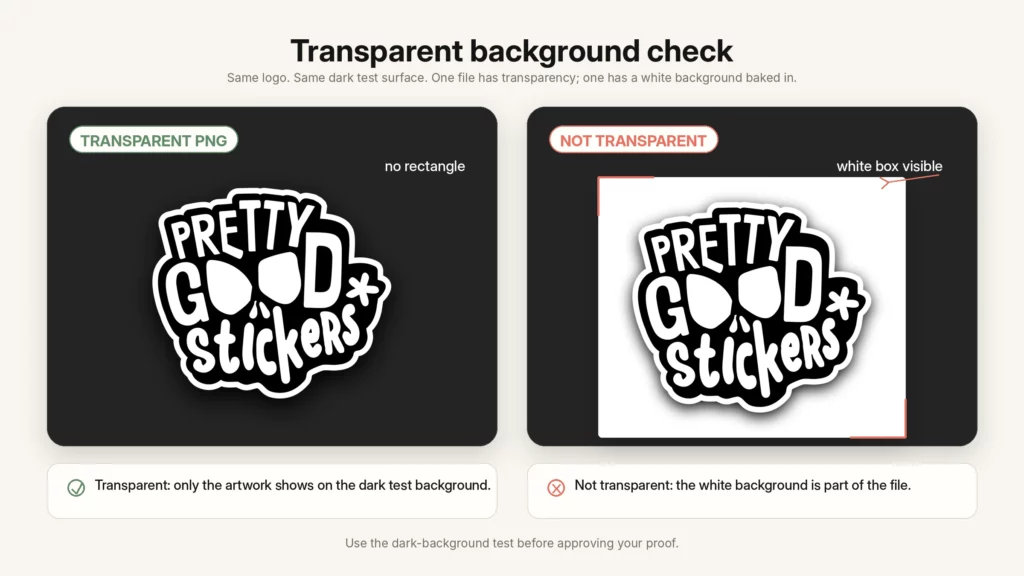
If your sticker should print without a background, the file needs that transparency built in before upload. PNG supports it; JPG does not, so a JPG drags its white box along with it.
Quick check: drop the file onto a dark background. If a white rectangle shows up around your art, it is not transparent yet – common, and much easier to fix now than after the proof has moved into production.
Color shifts on paper, and that is normal
We print in CMYK. Screens show RGB, which runs brighter, so a printed sticker can look slightly more muted than your monitor. That is ink versus light, not a mistake.
For most artwork it is a non-issue. But if a brand color has to land exactly, flag it with support before you order rather than leaving it to chance.
Files to skip when a better version exists
Screenshots, images saved off Instagram or a website, tiny logos from a page header, heavily compressed JPGs, photos of artwork in bad lighting, anything stretched well past its original size, or a flattened preview instead of the real file.
If the design was made in Illustrator, use the vector export. If it was drawn in Procreate, export a large clean PNG. If it is a photo, use the full-resolution original, not a copy pulled from a chat app.
What we recommend
Vector for logos, type, and clean graphics. High-res PNG for anything drawn, painted, or needing transparency. JPG or TIFF for image-based art when transparency is not in play.
Whatever the format, confirm it is 300 dpi at final size, and upload the original rather than a screenshot of it. Then check the proof: edges, background, size. Approve once it is right.
When to contact support
Reach out before approving your proof if the only file you have is low-res, the design has small text or a QR code, a brand color has to be exact, the background should be transparent but looks white, or the proof shows an edge or box you did not expect.
Cheaper to check now than to reprint later.
FAQ
What is the best file type for stickers?
Vector for logos, text, and clean illustration. For image-based artwork, use a high-resolution PNG, JPG or TIFF at 300 dpi at the final print size.
What file types does Pretty Good Stickers accept?
The editor currently accepts PNG, JPG, TIFF, AI, PDF and EPS.
Can I upload a PNG?
Yes — good for digital artwork, especially with a transparent background or crisp edges. Make sure it is large enough for the final size.
Can I upload a JPG?
Yes, for photos and full-background art. Avoid low-resolution or heavily compressed JPGs, especially for text or sharp outlines.
Can I upload an AI or EPS file?
Yes. Both usually contain vector artwork, which is ideal for logos, type, and icons.
Can I upload a PDF?
Yes, especially if it contains vector artwork. One catch: a PDF can also hold a low-res image inside it, so it still needs a look before printing.
Can I upload a TIFF?
Yes. It works well for high-quality image-based artwork, as long as it is large enough for the final size.
What resolution should sticker artwork be?
300 dpi at the final print size. A file that is too small can look fine on screen and still print blurry once enlarged.
CMYK or RGB?
We print in CMYK. RGB screen colors run brighter than the print. If exact brand color matters, contact support before ordering.
 Staff
Staff